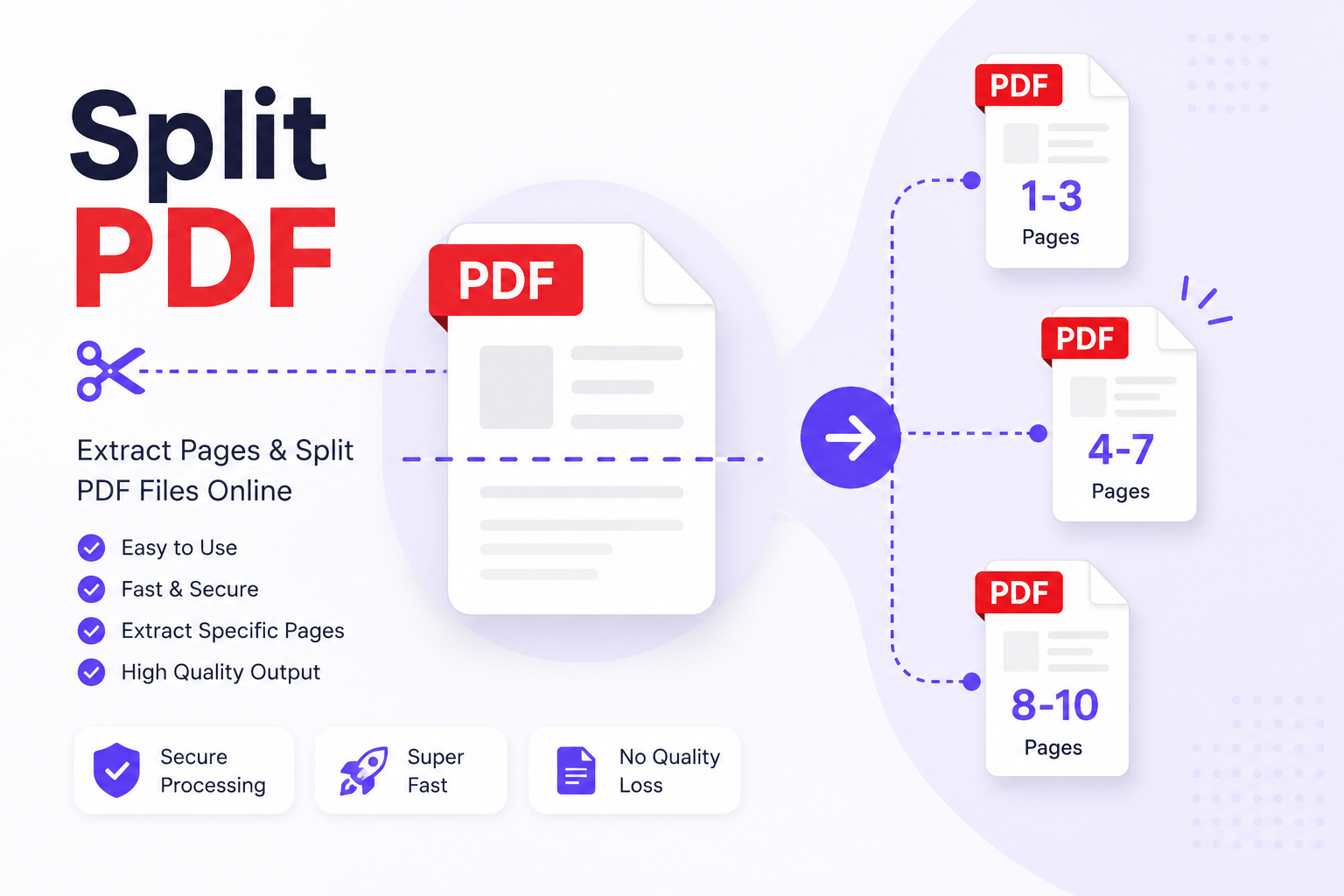
Split PDF Online Free – Extract & Separate PDF Pages Instantly
INTRODUCTION
That 200-Page Report Has Three Pages You Actually Need. A colleague sends you a massive annual report. Your client shares a contract bundle with dozens of attachments, all packed into one file. Your professor uploads an entire course reader as a single PDF when you only need the chapter relevant to your assignment. The information you need is in there — buried somewhere between pages you will never read.
Scrolling past irrelevant content is frustrating enough. But when you need to share, submit, or archive only a specific portion of a PDF, having no clean way to separate it becomes a genuine problem. The Split PDF tool on ConvertorsOnline.com exists precisely for this situation. It lets you take any PDF document and divide it into individual pages or defined page ranges, giving you only the sections that matter, saved as clean, separate files ready to use immediately.
Unlike desktop PDF software that requires installation, licensing, and a learning curve, this tool opens in your browser and works without any setup. You choose the file, specify how you want it split, and download the result. The original document stays untouched on your device, and the output is delivered without your file ever leaving your browser.
The range of people who use a PDF splitter in real workflows is broader than most expect. Legal professionals extract individual clauses from contract bundles. Academics pull specific chapters from research compilations. Business teams separate invoice pages from combined financial exports. Teachers extract individual worksheets from larger resource packs. Whatever the context, the need is the same — precision over the entire document, control over exactly what gets used.
3. KEY FEATURES
Page Range Splitting: Define a specific range of pages to extract — such as pages 5 through 12 — and the tool produces a new PDF containing only those pages in their original order and formatting.
Split Into Individual Pages: Choose to separate every page of a PDF into its own individual file, which is useful for processing, archiving, or distributing pages one at a time without manual separation.
Multiple Split Outputs in One Session: Extract several different page ranges from a single document within the same session, saving each section as a distinct file without re-uploading the original PDF repeatedly.
Original Quality Preserved Every extracted page or section retains the exact resolution, typography, embedded images, and layout of the source document. No content is altered, compressed, or reformatted during the split.
Browser-Based Local Processing: The entire split operation runs within your browser without transmitting your file to any remote server. Your document content stays on your device throughout the process, which matters significantly for sensitive files.
Instant Download After Processing: Split output files are available for immediate download the moment processing completes. There is no waiting period, no email delivery link, and no account required to retrieve your files.
Works With Any Standard PDF. The tool handles PDFs originating from any source — documents exported from Word or Excel, scanned files, design exports, digitally signed contracts, and web-downloaded PDFs all split correctly without format errors.
No Page Count Restrictions: Whether your source document has 10 pages or 500, the tool processes the full file and lets you work with any page range within it. Large documents do not require pre-processing to use the splitter.
Simple Page Selection Interface Entering page ranges is straightforward — type the start and end page numbers, and the tool handles the rest. There is no complicated syntax or selection menu to navigate.
Completely Free With No Usage Limits. Every split operation uses the full capability of the tool at no cost. There are no per-split charges, no daily session limits, and no premium upgrade required to access any feature.
Responsive Design for All Devices The tool's interface adjusts cleanly to desktop monitors, laptop screens, tablets, and mobile phones, so you can split a PDF from whatever device you have at hand.
No Installation or Plugin Required. Open ConvertorsOnline.com in any modern browser and the Split PDF tool is immediately available. There is nothing to download, no browser extension to install, and no operating system compatibility to worry about.
4. REAL-WORLD BENEFITS & USE CASES
Legal & Administrative Professionals
Large legal documents — bundled contracts, regulatory submissions, court filings, and compliance packages — often contain sections intended for different recipients or purposes. A legal assistant preparing documents for review can use the Split PDF tool to extract only the relevant clauses or annexures each party needs, rather than sharing the entire document with every stakeholder. For example, extracting pages 8 through 14 from a 60-page agreement to share only the terms section with a specific reviewer takes about thirty seconds and avoids any risk of sharing unintended content.
Students & Academic Users
Course materials, research papers, and textbook compilations are frequently distributed as single large PDFs. A student who needs only one chapter for an essay reference does not need to store or send the entire 300-page document. Splitting out the relevant pages creates a focused, manageable file that is easier to annotate, reference, and share with study group members.
Business Professionals & Finance Teams
Monthly financial reports, combined invoice exports, and bank statement PDFs often bundle multiple periods or accounts into one file. A finance team member reconciling a specific quarter's transactions can extract just those pages from a full-year export, creating a clean reference file without wading through months of unrelated data every time the document is opened.
Teachers & Educators
A teacher who builds resource packs by combining multiple worksheets, readings, and exercises into one PDF for internal use may later need to distribute individual components to different classes or student groups. The Split PDF tool makes it practical to extract each worksheet as a standalone file without rebuilding anything from scratch — a meaningful time saving during a busy teaching week.
Freelancers & Consultants
Consultants who receive combined project files from clients — proposals, briefs, reference materials, and feedback all merged into one PDF — frequently need to isolate specific sections for review, annotation, or forwarding to team members. Splitting the file into its logical sections immediately after receiving it creates a cleaner, more organized working environment without any manual copying or re-exporting.
5. HOW TO USE SPLIT PDF
Step 1 — Open the Tool. Visit ConvertorsOnline.com and go to the Split PDF tool page. It loads directly in your browser with no login screen or installation prompt standing between you and the tool.
Step 2 — Upload Your PDF File. Click the upload area to browse for your file, or drag and drop the PDF directly from your file manager into the tool. The file loads into the tool and displays the total page count so you can plan your split accurately.
Step 3 — Choose Your Split Method. Select whether you want to split the document into individual pages, extract a specific page range, or define multiple custom ranges. Enter the page numbers that correspond to the sections you need.
Step 4 — Preview Your Selection. If the tool offers a page preview, use it to confirm your selection covers the correct content before proceeding. This step prevents the minor frustration of downloading the wrong pages and having to repeat the process.
Step 5 — Click the Split Button. Press the Split PDF button to begin processing. The tool works through your file in the browser and prepares your output files within seconds.
Step 6 — Download Your Split Files. Once processing is complete, download your extracted pages or sections directly to your device. If multiple ranges were defined, each section downloads as a separate PDF file.
Step 7 — Confirm the Output. Open your downloaded files and verify that the pages are correct, complete, and displaying as expected. If any adjustment is needed, return to the tool and repeat the process with updated page numbers; the original file is still available for re-upload.
6. TOOL DETAILS
- Tool Name: Split PDF
- Also Known As: PDF Splitter, PDF Page Extractor, Separate PDF Pages, Divide PDF, PDF Cutter
- Category: PDF Tools
- Purpose: Divide a PDF document into individual pages or defined page range sections, producing separate downloadable PDF files from a single source document
- Input Type: Single PDF file uploaded from your device
- Output Type: One or more PDF files, each containing the specified pages or page ranges
- Processing Location: Entirely browser-based, no file data is sent to any external server at any point
- Device Compatibility: Desktop, Laptop, Tablet, Mobile (Android and iOS)
- Browser Support: Google Chrome, Mozilla Firefox, Microsoft Edge, Safari, Opera
- Login Required: No
- Cost: Completely Free — no credits, no daily limits, no subscription tiers
- Data Privacy: Your PDF file is processed locally within your browser. No page content, file metadata, or document data is transmitted to or stored on any external server. Your file remains entirely on your device throughout the split process.
- Related Tools: Merge PDF, Delete PDF Pages, Rearrange PDF Pages, Compress PDF, Edit PDF, Rotate PDF, Protect PDF, PDF to Word — all available on ConvertorsOnline.com
7. WHY CHOOSE THIS TOOL ON CONVERTERSONLINE.COM
The most common frustration with PDF splitting tools is that they make a simple task unnecessarily complicated. Some require account creation before you can download your output. Others impose page limits that stop you mid-task. Several upload your file to remote servers and hold the output hostage behind a premium paywall. The Split PDF tool on ConvertorsOnline.com avoids every one of these friction points. The process is direct — upload, define, split, download — and nothing in between asks for your money or your email address.
Processing speed is consistently reliable because the split happens within your browser rather than on a shared server handling thousands of simultaneous requests. When a server-based tool is under load during peak hours, your file sits in a queue. When the processing runs locally in your browser, your split completes at a speed determined by your own device, which for standard PDF sizes means results in a matter of seconds.
The local processing model also solves the privacy question that server-based tools cannot honestly answer. When a tool uploads your file to process it remotely, there is a period — however brief — during which your document exists on infrastructure you do not control. For contracts, medical records, tax documents, financial statements, or any file containing personal or professional information, that exposure is unnecessary. The Split PDF tool on ConvertorsOnline.com processes everything within your own browser session, and when that session closes, nothing of your file persists anywhere outside your device.
Being part of the ConvertorsOnline.com PDF toolkit means this tool connects naturally to a broader workflow. If you split a document and then need to compress the extracted section before emailing it, the Compress PDF tool is available on the same platform without switching tabs or creating a new account somewhere else. If the pages you extracted need to be reordered before sharing, the Rearrange PDF Pages tool handles that in the same browser environment. The entire PDF management process — split, clean, compress, share — stays within one platform.
For anyone who regularly handles multi-page PDFs in their work or study, having a precise and private splitting tool available without setup is one of those workflow improvements that only becomes more valuable the more often you use it. The Split PDF tool on ConvertorsOnline.com is built for repeated, reliable use — not just a one-time demo.
8. FREQUENTLY ASKED QUESTIONS
Q1: Can I extract multiple different page ranges from one PDF in a single session? Yes. The tool allows you to define multiple page ranges from a single uploaded document within the same session. Each range is processed and delivered as a separate PDF file, so you can extract several distinct sections — such as pages 1 to 5, pages 18 to 22, and pages 30 to 35 — without re-uploading the original file each time.
Q2: Is my PDF file kept private when I use this tool? Completely. The Split PDF tool processes your file entirely within your web browser using local computation. Your document is never uploaded to any external server, never stored in a database, and never accessible to anyone other than you. The moment you close the browser tab, all traces of the session are cleared. This applies to every file you process, regardless of size or content.
Q3: Will splitting a PDF affect the quality of the extracted pages? No. The splitting process does not re-render, compress, or modify the content of your pages in any way. Text remains at its original sharpness, images keep their source resolution, embedded fonts carry through correctly, and any hyperlinks or form fields present in the original pages are preserved in the extracted output.
Q4: What is the difference between Split PDF and Delete PDF Pages? Both tools work with individual pages in a document, but they serve different purposes. The Split PDF tool separates a document into distinct output files based on page ranges you define — the goal is producing separate documents from one source. The Delete PDF Pages tool removes specific pages from a document and delivers the remainder as a single file. If you need a portion of a document as its own file, use Split PDF. If you need to remove unwanted pages from a document while keeping the rest together, use Delete PDF Pages, which is also available on ConvertorsOnline.com.
Q5: Can I split a scanned PDF or one that was created from a physical document? Yes. Scanned PDFs are standard PDF files that happen to contain page images rather than digitally rendered text, and the Split PDF tool handles them in exactly the same way as any other PDF. The pages extract cleanly without any scanning artifacts or image quality changes, since the tool moves the page content as-is rather than re-processing it.
Q6: Does the Split PDF tool work on smartphones and tablets? The tool is fully functional on current versions of mobile browsers including Chrome on Android and Safari on iOS. The interface adapts to smaller screen sizes without losing any functionality, so you can upload a PDF from your phone's storage, define your page ranges, and download the split output — all from a mobile device without needing a desktop computer.
Q7: What happens to my original PDF file after I split it? Your original file remains exactly as it was on your device — the Split PDF tool works on a copy of the file data within your browser session and does not modify, move, or delete your source file at any point. After downloading your split output, your original PDF is still in its original location on your device, fully intact and unchanged.
Q8: If I need to reduce the size of my split PDF after extracting pages, is there a tool for that on the same platform? Yes. After splitting your PDF, if the extracted file is larger than needed for sharing or uploading purposes, the Compress PDF tool on ConvertorsOnline.com reduces the file size without degrading the content quality. Both tools are free and available on the same platform, so you can move directly from splitting to compressing within the same browser session.
9. CONCLUSION
Precision Over the Whole DocumentA PDF that contains what you need buried among what you do not is still a problem that requires solving. The Split PDF tool on ConvertorsOnline.com gives you a clean, fast, and private way to extract exactly the pages that matter — without touching the ones that do not, without installing software, and without handing your files to a platform that makes privacy a premium feature.
What keeps this tool worth returning to is the consistency of the experience. It handles small two-page extracts and large multi-range splits with the same straightforward process. The output is clean, the privacy is genuine, and the cost is nothing. Those three things together are less common in free online tools than they should be.
Head to ConvertorsOnline.com whenever a PDF hands you more than you asked for. The Split PDF tool is there, ready to give you back just the part you actually need.