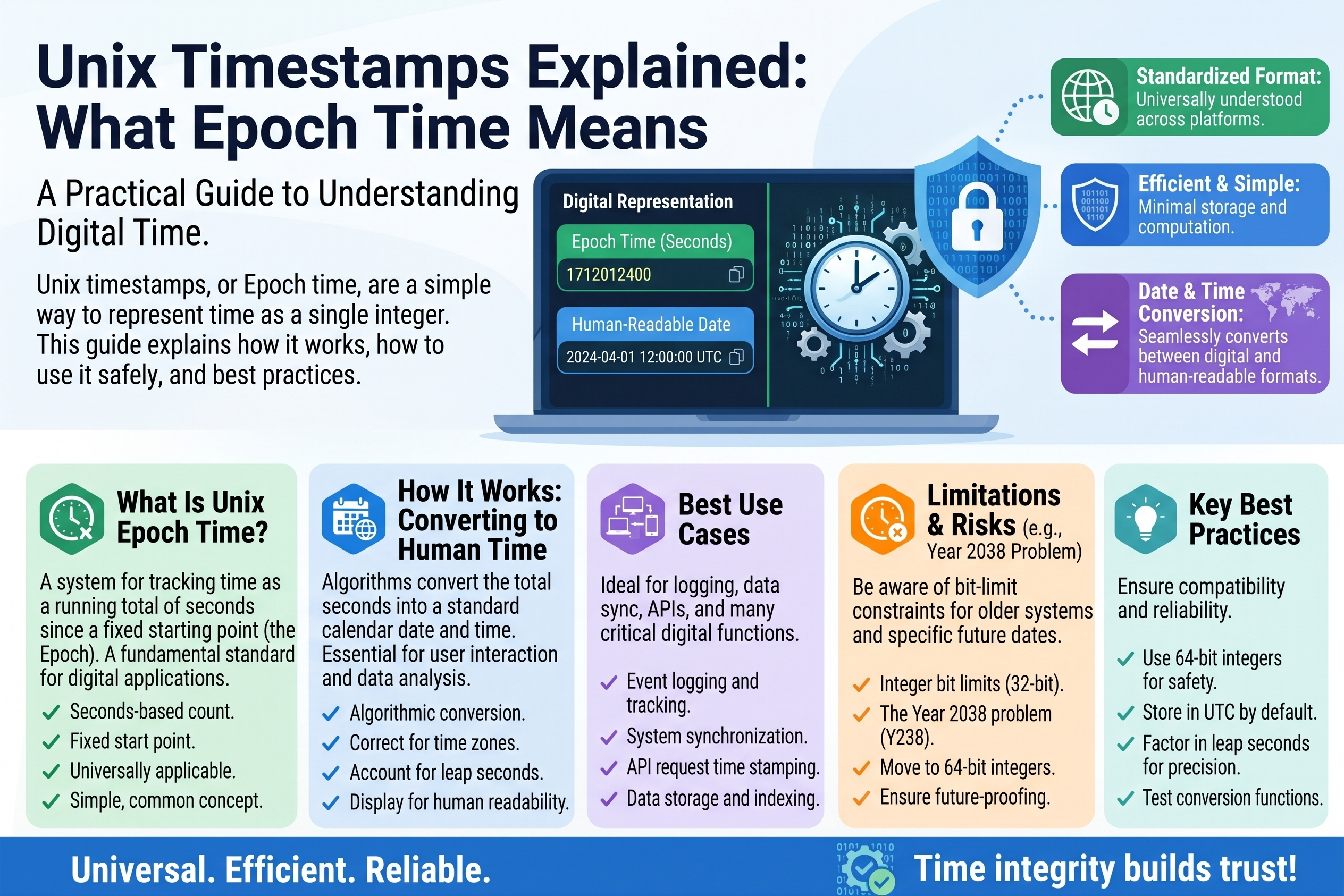
Unix Timestamps Explained: What Epoch Time Means
If you have ever dug through an API response, a database export, or a log file, you have seen mysterious 10-digit numbers like these sitting where a date should be. They are not random IDs and they are not broken data — they are
Unix timestamps
, also called
epoch time
, and they are one of the most practical ideas in all of programming.
Once you understand what these numbers mean, you will be able to read them at a glance, convert them to human dates in seconds, and avoid the timezone bugs that catch even experienced developers. Let us decode them.
What Epoch Time Is
A Unix timestamp is simply the number of seconds that have passed since midnight on January 1, 1970, in UTC (Coordinated Universal Time). That starting moment — 1970-01-01 00:00:00 UTC — is called the epoch.
So:
0             = 1970-01-01 00:00:00 UTC  (the epoch itself)
1             = one second after the epoch
60            = one minute after the epoch
3600          = one hour after the epoch
86400         = one day after the epoch
1727745600    = 2024-09-30 16:00:00 UTC
Right now, as you read this, the timestamp is roughly 1.79 billion — that many seconds have ticked by since 1970. It grows by exactly 1 every second, 60 every minute, 86,400 every day. It never goes backward, never skips, and never repeats.
Why January 1, 1970? Early Unix engineers needed an arbitrary starting line, and that date was convenient — close enough to the present to keep numbers small, and it predated the system itself. The choice stuck, and today virtually every operating system, database, and programming language understands epoch time.
How to Read a Timestamp (Worked Conversion)
You do not need to do mental arithmetic — but understanding the mechanics makes the concept click. Let us convert 1727745600 by hand, approximately:
Step 1 — Strip off whole days. Divide by 86,400 (seconds per day):
1,727,745,600 / 86,400 = 19,996.7...
So about 19,996 full days have passed since the epoch.
Step 2 — Convert days to years. Divide by 365.25 (accounting for leap years):
19,996 / 365.25 ≈ 54.75 years
54.75 years after 1970 lands us in late 2024. The remaining fraction (0.75 of a year ≈ 9 months) points at roughly September/October 2024.
Step 3 — Get the exact time with a converter. In practice, nobody finishes this by hand — you paste the number into a Unix timestamp converter tool (or run one line of code) and get the precise answer: 2024-09-30 16:00:00 UTC.
The takeaway is not the arithmetic; it is the idea: the number is just "seconds since a fixed starting line," so converting it is always possible and always unambiguous.
Converting in code is one line in most languages:
from datetime import datetime, timezone
datetime.fromtimestamp(1727745600, tz=timezone.utc)
# datetime(2024, 9, 30, 16, 0, tzinfo=utc)
new Date(1727745600 * 1000).toISOString()
// '2024-09-30T16:00:00.000Z'
(Note the * 1000 in JavaScript — more on that trap in a moment.)
Seconds vs. Milliseconds: The Classic Trap
Here is the single most common timestamp bug: some systems count in seconds, others in milliseconds.
Seconds:       1727745600        (10 digits — the classic Unix timestamp)
Milliseconds:  1727745600000    (13 digits — same moment, finer unit)
JavaScript's Date, many Java APIs, and numerous web services use milliseconds. Python's time.time(), PHP's time(), and most databases use seconds. Feed a millisecond timestamp to a function expecting seconds and you get a date 50,000 years in the future; feed seconds where milliseconds are expected and you land in January 1970.
The instant diagnosis: count the digits. Ten digits means seconds, thirteen means milliseconds. If your converted date looks wildly wrong — year 1970 or year 56000 — you have a seconds/milliseconds mismatch. Multiply or divide by 1,000 and try again.
Why Developers Love Timestamps
Given that humans find 1727745600 unreadable, why is it everywhere? Because for computers, it is nearly perfect:
- Sorting is trivial. Bigger number = later time. No parsing "12/03/2026" vs "03/12/2026" ambiguity, no month-name lookups. Sorting dates becomes sorting numbers.
- Math is trivial. "How many hours between these two events?" is just subtraction, then divide by 3,600. Try that with formatted date strings.
- Storage is tiny and fixed. An integer takes a few bytes and always the same space; a date string varies in length and format.
- Comparisons are unambiguous.
expiry > nowis one integer comparison. No timezone conversions, no format mismatches, no "is midnight included?" debates. - It is timezone-free by definition. A timestamp always means the same instant everywhere on Earth — the timezone only enters the picture when you display it to a human.
That last point is the deep reason timestamps dominate backends: the number stores the instant, and each user's device converts it to their local wall-clock time for display. One stored value, correct everywhere.
Timezone Pitfalls (Read This Before You Ship a Bug)
Timestamps themselves have no timezone — but the moment you convert one for display, timezones enter and bugs follow. The three classic pitfalls:
Pitfall 1 — Displaying in the wrong zone.1727745600 is 2024-09-30 16:00 UTC, but 21:00 in Pakistan (UTC+5) and 09:00 in Los Angeles (UTC-7). If your converter tool or code renders it in the server's timezone instead of the user's, everyone sees the wrong time. Rule: store and transmit timestamps in UTC; convert to local time only at the moment of display, on the user's device.
Pitfall 2 — "Midnight" is not universal. Scheduling something for "midnight tonight" as a timestamp is ambiguous — midnight where? A daily job set for timestamp-midnight-UTC fires at 5 AM in Lahore. For anything humans schedule (reminders, cron-like jobs, calendar events), store the local time and timezone separately, or convert carefully.
Pitfall 3 — Daylight saving shifts. Because a timestamp counts absolute seconds, "24 hours from now" is always exactly 86,400 seconds later — but on a daylight-saving changeover day, that may not be "the same clock time tomorrow." If your feature means "same wall-clock time," do the arithmetic in calendar terms, not in raw seconds.
A useful mental model: the timestamp is the truth; the displayed date is a translation. Bugs happen when code confuses the translation for the truth.
Negative Timestamps and the Year 2038 Problem
Two edge cases worth knowing:
Negative timestamps represent moments before 1970: -86400 is 1969-12-31 00:00:00 UTC. They work fine in most modern systems — useful for birth dates and historical data.
The Year 2038 problem is the famous limit: on systems that store timestamps in a signed 32-bit integer, the counter maxes out at 2147483647 — which hits on January 19, 2038, after which it wraps around to negative (December 1901). Modern systems use 64-bit integers, pushing the limit billions of years out, but old embedded devices and legacy databases may still be 32-bit. It is the Y2K of our generation — mostly handled, but worth knowing the date.
Quick Reference: Timestamps You Will Recognize
0               1970-01-01 00:00:00 UTC   (the epoch)
946684800       2000-01-01 00:00:00 UTC   (Y2K midnight)
1609459200      2021-01-01 00:00:00 UTC
1672531200      2023-01-01 00:00:00 UTC
1704067200      1704067200 -> 2024-01-01 00:00:00 UTC
1767225600      2026-01-01 00:00:00 UTC
2147483647      2038-01-19 03:14:07 UTC   (32-bit max)
Round numbers like 1704067200 (midnight, Jan 1) are handy anchors: if a mystery timestamp is slightly larger than one of these, you immediately know roughly when it falls.
Frequently Asked Questions
How do I convert a Unix timestamp to a readable date? Paste it into a Unix timestamp converter tool, or use one line of code: Python's datetime.fromtimestamp(ts, tz=timezone.utc), JavaScript's new Date(ts * 1000). Remember the seconds-vs-milliseconds check first — count the digits (10 = seconds, 13 = milliseconds).
Why is the timestamp I generated different from an online converter's "current" value? It should only differ by the seconds elapsed between the two readings. If it differs wildly, check for the milliseconds trap, or check whether one side applied a timezone offset to a value that was already UTC.
Are Unix timestamps affected by leap seconds? Officially, Unix time pretends leap seconds do not exist — each day is defined as exactly 86,400 seconds. In practice this means Unix timestamps drift very slightly from true astronomical time, but for virtually all software purposes the difference is irrelevant.
Should I store dates as timestamps or as date strings in my database? Timestamps (integers) for anything you will sort, compare, or do math on — created_at, expires_at, event times. Human-readable strings only for display or when the calendar date itself is the data (like a birthday, where timezone conversion would be wrong). Most databases also offer native datetime types, which are often the best of both worlds.
What is the difference between Unix time and UTC? UTC is a time standard (a way of labeling moments: "16:00 UTC"). Unix time is a counting system (seconds since the epoch). A timestamp of 1727745600 means 2024-09-30 16:00:00 UTC — the number and the label describe the same instant in different languages.
Conclusion
Those 10-digit numbers stop being mysterious the moment you learn the one sentence that defines them: seconds since midnight, January 1, 1970, UTC. Everything else — the conversions, the millisecond trap, the timezone rules — follows from that. Store instants as timestamps, translate them to local time only for display, and always count the digits before converting. Do that, and you will sidestep an entire category of bugs that has bitten developers for fifty years — with plenty of decades left on the clock.
Related Articles
- Cron Expressions Explained: Scheduling Tasks Easily
- Time Zones Explained: Scheduling Across the World
- Binary Numbers Explained: How Computers Count
Try Our Free Tools