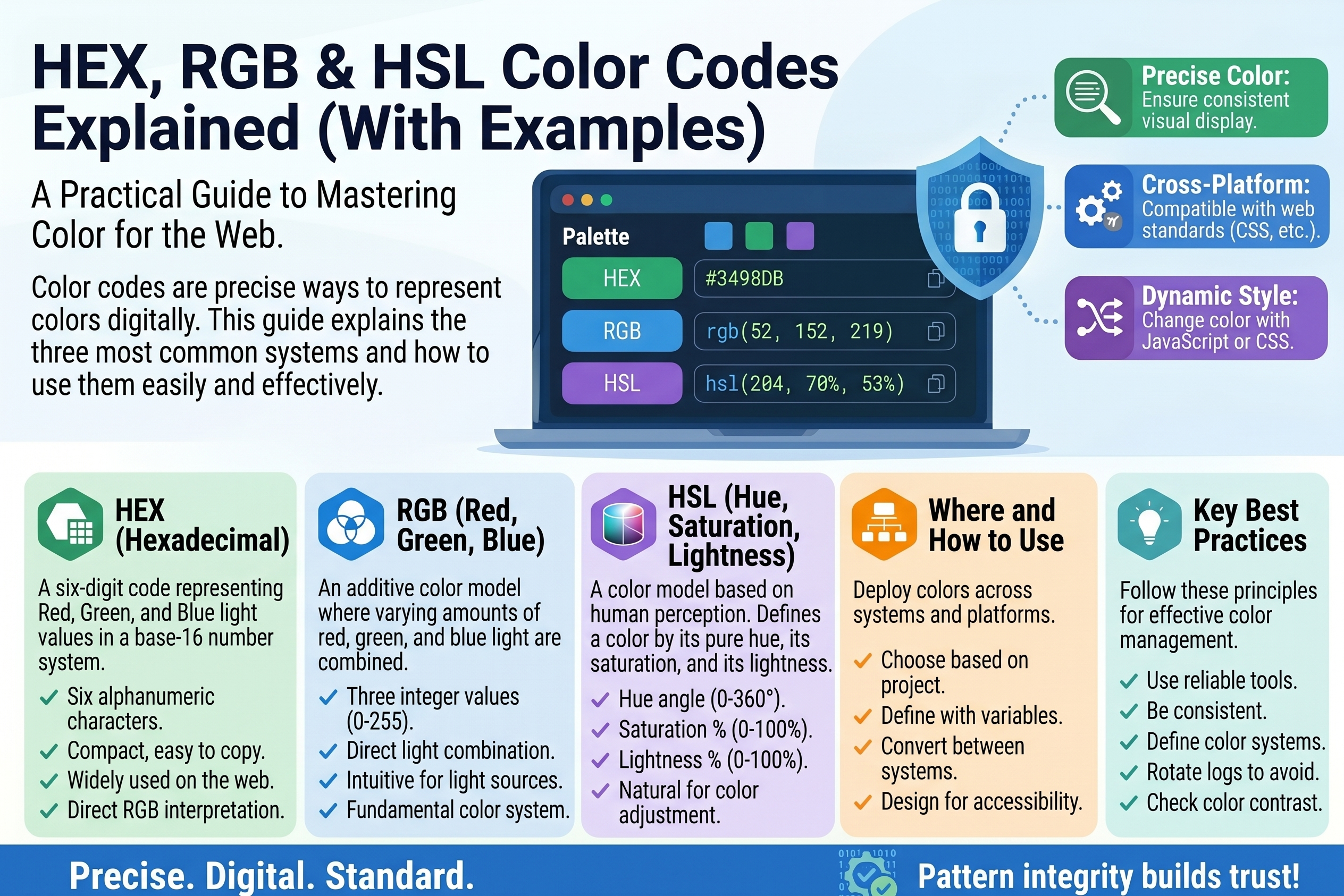
HEX, RGB & HSL Color Codes Explained (With Examples)
Every color on a screen — the blue of a link, the red of an error message, a company logo's exact shade — is stored as a number. Web designers write those numbers in three main formats: HEX, RGB, and HSL. They all describe the same colors, just in different languages.
If you have ever copied a value like #FF5733 and wondered what those six characters mean, this guide is for you: how each system works, how to convert between them by hand, and how to pick colors that look good on a real website.
How Screens Make Color
Screens create color by mixing light. Every pixel is made of three tiny subpixels — red, green, and blue. Varying their brightness produces millions of colors. This is the additive color model (like mixing stage lights, not paint):
- Red + green light = yellow
- Red + blue light = magenta
- Green + blue light = cyan
- All three full on = white; all off = black
HEX, RGB, and HSL are simply three ways of writing down "how much red, green, and blue." Once you see that, the codes stop looking like gibberish.
HEX Color Codes Explained
A HEX code (short for hexadecimal) looks like this:
#FF5733
The # just says "a color code follows." The six characters after it are three pairs, one pair per color channel:
#  FF      57      33
   ^^      ^^      ^^
   Red     Green   Blue
Each pair is a hexadecimal number — base 16, using the digits 0-9 then A-F (A=10 through F=15).
Each pair therefore represents 00 (channel off) to FF (255, channel fully on). Decoding #FF5733:
FF= 15 × 16 + 15 = 255 → red at full brightness57= 5 × 16 + 7 = 87 → green fairly dim33= 3 × 16 + 3 = 51 → blue dim
So #FF5733 is a bright reddish-orange — lots of red, a little green, a little blue. A classic "call to action" button color.
HEX Shorthand
When both characters in each pair match, you may use a three-character shorthand: #FF5533 becomes #F53 (browsers double each digit). Examples:
#FFFFFF  →  #FFF   (white)
#000000  →  #000   (black)
#FF0000  →  #F00   (pure red)
#112233  →  #123   (dark blue-gray)
Note that #F53 and #FF5533 are the same color — the shorthand is only valid when each pair has matching digits, so #F5A3B2 cannot be shortened.
Reading a HEX Code at a Glance
With practice you can estimate a color from its code: a high first pair (#FF____) means warm/reddish; a high middle pair pushes toward green or yellow; a high last pair toward blue or purple. All three pairs similar (#888888) = gray — the higher, the lighter.
Common colors in all three formats:
Color name      HEX        RGB               HSL
-----------     ------     ---------------   ----------------
Black           #000000    rgb(0, 0, 0)      hsl(0, 0%, 0%)
White           #FFFFFF    rgb(255,255,255)  hsl(0, 0%, 100%)
Pure red        #FF0000    rgb(255, 0, 0)    hsl(0, 100%, 50%)
Pure green      #00FF00    rgb(0, 255, 0)    hsl(120, 100%, 50%)
Pure blue       #0000FF    rgb(0, 0, 255)    hsl(240, 100%, 50%)
Yellow          #FFFF00    rgb(255,255, 0)   hsl(60, 100%, 50%)
Cyan            #00FFFF    rgb(0, 255, 255)  hsl(180, 100%, 50%)
Magenta         #FF00FF    rgb(255, 0, 255)  hsl(300, 100%, 50%)
Orange          #FFA500    rgb(255,165, 0)   hsl(39, 100%, 50%)
Tomato          #FF6347    rgb(255, 99, 71)  hsl(9, 100%, 64%)
Steel blue      #4682B4    rgb(70,130,180)   hsl(207, 44%, 49%)
Light gray      #D3D3D3    rgb(211,211,211)  hsl(0, 0%, 83%)
RGB Explained
RGB writes the same three channels as plain decimal numbers from 0 to 255. In CSS it looks like this:
.button {
  background-color: rgb(255, 87, 51);   /* same as #FF5733 */
  color: rgb(255, 255, 255);            /* white text */
}
The three numbers are red, green, and blue brightness. rgb(255, 87, 51) is exactly the same color as #FF5733 — HEX and RGB are two notations for identical information.
RGBA: Adding Transparency
RGBA adds a fourth value — alpha, opacity from 0 (transparent) to 1 (opaque):
.overlay {
  background-color: rgba(0, 0, 0, 0.5);  /* black at 50% opacity */
}
Handy for overlays, shadows, and hover effects. Modern CSS also allows alpha inside HEX (#FF573380 ≈ 50% opacity), but RGBA remains the most readable way to write it.
HSL Explained
HSL describes color the way humans think about it, not the way screens mix light:
- H — Hue (0 to 360): position on the color wheel in degrees. 0° is red, 120° green, 240° blue, 360° wraps back to red.
- S — Saturation (0% to 100%): vividness. 0% is gray; 100% is the most intense version of the hue.
- L — Lightness (0% to 100%): brightness. 0% is black, 50% the "normal" color, 100% white.
.button {
  background-color: hsl(9, 100%, 60%);  /* vivid reddish-orange */
}
Why Designers Love HSL
HSL makes adjustments intuitive. Want a darker version for a hover effect? Keep hue and saturation, lower the lightness:
.button         { background-color: hsl(9, 100%, 60%); }  /* normal */
.button:hover   { background-color: hsl(9, 100%, 50%); }  /* darker on hover */
.button:active  { background-color: hsl(9, 100%, 42%); }  /* pressed */
Try that with HEX: #FF5733 → darker = ??? With HSL, "darker" is literally "subtract 10 from lightness." Muted or pastel versions are just saturation changes:
hsl(9, 100%, 60%)   vivid orange-red
hsl(9, 60%, 60%)    softer, muted version
hsl(9, 20%, 60%)    dusty, almost gray
hsl(9, 0%, 60%)     pure gray (hue becomes irrelevant)
HSL also has HSLA with alpha: hsla(9, 100%, 60%, 0.8) is the same color at 80% opacity.
Converting Between HEX, RGB, and HSL
Tools normally do this, but the math removes all mystery. Worked examples:
HEX → RGB (by hand)
Take #FF5733. Split into pairs (FF, 57, 33), then convert each: for a pair XY, value = (X × 16) + Y, with A=10 … F=15.
FF= (15 × 16) + 15 = 25557= (5 × 16) + 7 = 8733= (3 × 16) + 3 = 51
Result: rgb(255, 87, 51).
RGB → HEX (by hand)
Take rgb(70, 130, 180) (steel blue). Convert each decimal to two hex digits: divide by 16 — the quotient is the first digit, the remainder the second.
- 70 ÷ 16 = 4 remainder 6 →
46 - 130 ÷ 16 = 8 remainder 2 →
82 - 180 ÷ 16 = 11 remainder 4 →
B4(11 = B)
Join them: #4682B4.
RGB → HSL (the idea)
The full formula has several steps; here is the concept:
- Scale R, G, B to 0–1 by dividing by 255.
- Find the largest and smallest. Lightness = (largest + smallest) ÷ 2.
- If largest equals smallest, the color is gray: saturation = 0, hue undefined.
- Otherwise saturation measures how far apart the channels are, relative to lightness.
- Hue depends on which channel is largest: red largest → near 0°, green → near 120°, blue → near 240°.
Example: rgb(255, 87, 51) → scaled R=1.0, G=0.34, B=0.2. Lightness = (1.0+0.2)/2 = 60%. Channels far apart → saturation 100%. Red largest, green slightly beats blue → hue just above red → 9°. Result: hsl(9, 100%, 60%) — matching the reference table.
In practice nobody does this by hand twice. Use a converter tool — or your browser's dev tools: click the color swatch in the Styles panel to cycle through HEX, RGB, and HSL instantly.
Picking Colors for the Web
Start With Contrast, Not Taste
The most common color mistake is unreadable text — light gray on white, for example. Accessibility guidelines (WCAG) recommend a contrast ratio of at least 4.5:1 for normal text and 3:1 for large headings. Black on white is 21:1 (maximum); medium gray #777777 on white sits right on the 4.5:1 borderline. When in doubt, darken the text. Contrast checker tools compute the exact ratio for any pair.
The 60-30-10 Rule
A simple recipe: 60% dominant neutral (white/off-white background), 30% secondary color (dark text, section backgrounds), 10% one accent color (buttons, links). One accent used sparingly beats five bright colors fighting for attention.
Build a Palette From One Color
From a single brand color, derive a palette with small hue/saturation/lightness shifts:
Role            Example (from hsl(210, 70%, 50%))
----            ----------------------------------
Primary         hsl(210, 70%, 50%)   the brand blue
Primary dark    hsl(210, 70%, 40%)   hover states
Primary light   hsl(210, 70%, 92%)   tinted backgrounds
Accent          hsl(30, 70%, 50%)    opposite on the wheel
Neutral dark    hsl(210, 15%, 20%)   headings
Neutral light   hsl(210, 15%, 97%)   page background
Every color shares the same hue family except the deliberate accent — that is what makes a palette feel coherent.
Frequently Asked Questions
Which format should I use in CSS: HEX, RGB, or HSL? All three work in every modern browser. Use HEX for simple static colors (compact), RGBA when you need transparency, and HSL when you will create lighter/darker variations. Many developers mix them: HEX for neutrals, HSL for brand colors.
Is #FFF the same as #FFFFFF? Yes — the shorthand doubles each digit. It only works when each pair has identical digits, so #F5A3B2 cannot be shortened.
Why do some HEX codes have 8 characters, like #FF573380? The last two characters are the alpha (transparency) channel: 00 is fully transparent, FF fully opaque. #FF573380 is #FF5733 at roughly 50% opacity.
What is the difference between RGB and CMYK? RGB is for screens (mixing light). CMYK is for print (mixing ink: cyan, magenta, yellow, black). Never use CMYK values for web design.
Why does the same HEX code look different on my phone and laptop? Displays vary in calibration and brightness, so each interprets the same data slightly differently. Check important colors on multiple devices.
How many colors can HEX represent? 256 values per channel × 3 channels = 16,777,216 colors — far more than the human eye can distinguish.
Related Articles
- Hex and Binary Explained: How Computers Represent Text
- Number Bases Explained: Binary, Octal, Decimal, Hexadecimal
- ASCII vs Unicode: Text Encoding Compared
- Base64 Encoding Explained: What It Is and When to Use It
Try Our Free Tools