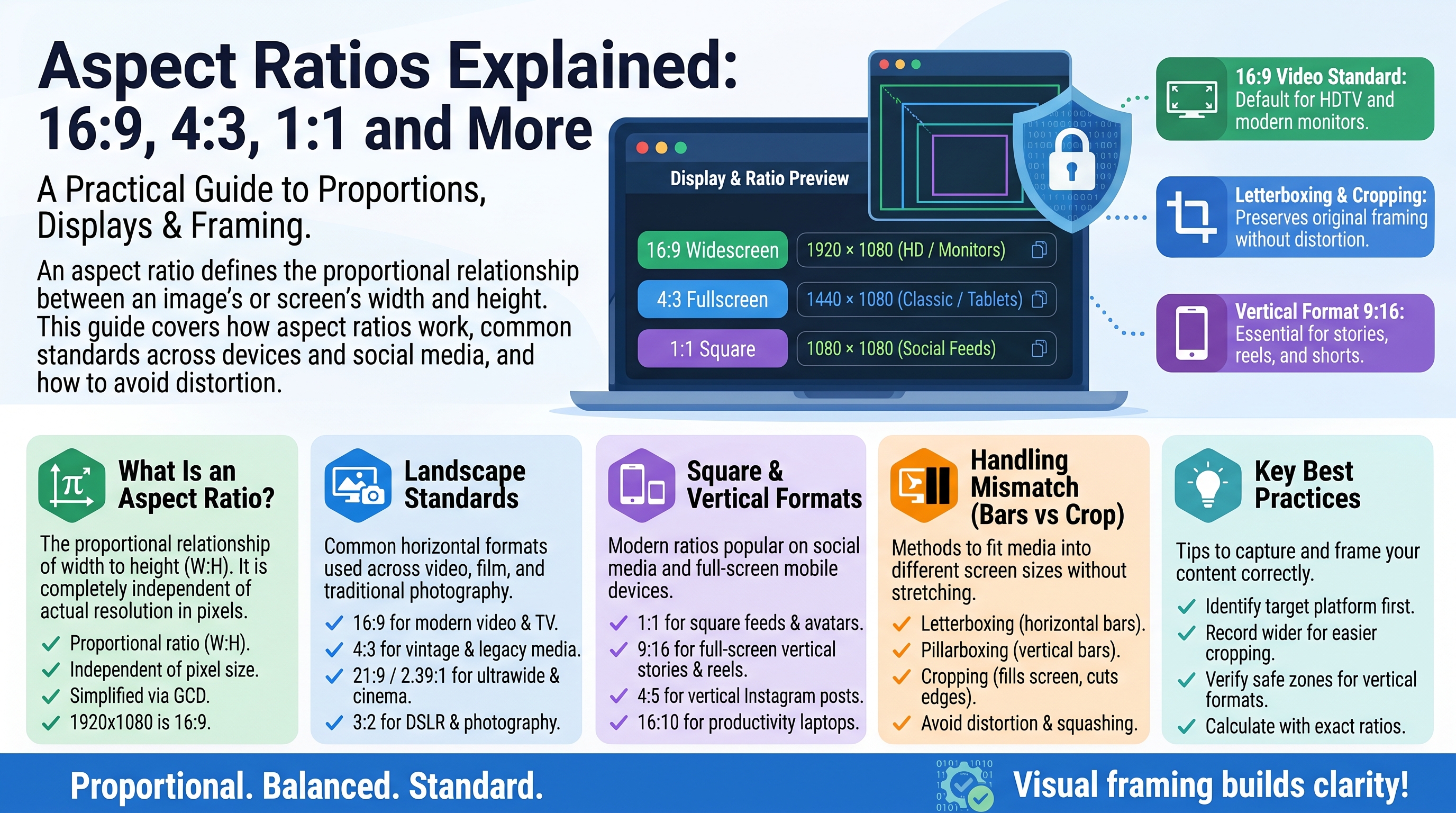
Aspect Ratios Explained: 16:9, 4:3, 1:1 and More
Every photo and video has a shape — wide like a cinema screen, square like an Instagram post, or tall like a phone story. That shape is the aspect ratio, and choosing the wrong one means awkward cropping, black bars, or content that looks wrong on the platform you publish it to. This guide explains what aspect ratios are, the most common ones, and which to use for video, photos and social media.
What Is an Aspect Ratio?
An aspect ratio is the proportional relationship between an image's width and height, written as width:height. It describes shape, not size:
- 16:9 means 16 units wide for every 9 units tall — a wide rectangle.
- 1:1 means equal width and height — a perfect square.
- 9:16 means 9 units wide for every 16 tall — a tall vertical rectangle (just 16:9 flipped).
A 1920×1080 video and a 1280×720 video are different sizes but the same aspect ratio (16:9), because 1920÷1080 and 1280÷720 both simplify to 16:9. Same shape, different resolution.
The Most Common Aspect Ratios
16:9 — The Widescreen Standard
The default shape of modern life. Nearly all TVs, monitors, YouTube videos and laptop screens are 16:9. It became the standard because it matches human peripheral vision better than older square-ish formats and sits neatly between cinema's ultra-wide and the old TV square.
Use it for: YouTube videos, presentations, TV content, desktop wallpapers, anything meant for a standard screen.
4:3 — The Classic TV Shape
The old television and early computer monitor shape — boxier than 16:9. Digital cameras long defaulted to 4:3 for still photos, and many point-and-shoot photos you have from the 2000s are 4:3.
Use it for: a retro look, some photography, older displays and projectors.
1:1 — The Square
Made iconic by Instagram's original feed. Squares are compositionally simple and display consistently everywhere — no orientation issues.
Use it for: Instagram feed posts, profile pictures, album artwork, product thumbnails.
9:16 — Vertical Video
The smartphone-native shape: 16:9 turned on its side. TikTok, Instagram Reels, YouTube Shorts and Snapchat all run on 9:16 — it fills a phone screen held upright perfectly.
Use it for: short-form video, stories, anything made primarily for phones.
21:9 — Ultrawide
The cinematic enthusiast's format — extra-wide monitors and some flagship phones use it. Movies are often even wider (2.39:1, sometimes called "cinemascope").
Use it for: immersive gaming, movie-style video, ultrawide monitors.
3:2 — The Photographer's Ratio
Classic 35mm film cameras shot 3:2, and most DSLRs and mirrorless cameras still do. It is slightly wider than 4:3 and prints neatly to standard 4×6 inch photos (which are 3:2).
Use it for: photography, especially if you print.
Quick Reference
Ratio    Shape          Common uses
16:9     Widescreen     YouTube, TV, monitors, presentations
4:3      Classic box    Old TV, some cameras, projectors
1:1      Square         Instagram posts, profile pics, album art
9:16     Vertical       TikTok, Reels, Shorts, Stories
21:9     Ultrawide      Gaming monitors, cinematic video
3:2      Photo classic  DSLR photos, 4×6 prints
2.39:1   Cinemascope    Movies
Aspect Ratio vs Resolution
These get confused constantly, so here is the clean distinction:
- Aspect ratio = the SHAPE (16:9, 1:1, 9:16)
- Resolution = the DETAIL, in pixels (1920×1080, 1080×1080)
1920×1080, 1280×720 and 3840×2160 are all 16:9 — same shape, very different sharpness. When someone says "4K", they mean resolution (3840×2160 pixels); the aspect ratio is still 16:9.
What Happens With the Wrong Ratio: Black Bars and Cropping
Play a 4:3 video on a 16:9 screen and you get pillarboxing — black bars on the left and right. Show a 21:9 movie on a 16:9 TV and you get letterboxing — black bars top and bottom. The bars are just empty space filling the shape mismatch.
Your options when ratios clash:
- Letterbox/pillarbox — keep the whole image, accept the bars (best quality, no cropping).
- Crop — cut off the edges to fill the screen (fills the frame, loses content).
- Stretch — distort the image to fit (almost never a good idea — everyone looks squashed).
For social media, the platform usually crops automatically — often badly, cutting off faces or text. That is why shooting or exporting in the platform's native ratio matters.
Social Media Aspect Ratios (2026 Cheat Sheet)
Platform              Best ratio      Pixels (recommended)
YouTube               16:9            1920×1080 or 3840×2160
YouTube Shorts        9:16            1080×1920
TikTok                9:16            1080×1920
Instagram Reels       9:16            1080×1920
Instagram feed post   1:1 or 4:5      1080×1080 or 1080×1350
Instagram Story       9:16            1080×1920
Facebook feed video   16:9 or 1:1     1280×720 or 1080×1080
X (Twitter)           16:9            1280×720
LinkedIn              16:9 or 1:1     1920×1080 or 1080×1080
Pro tip: Instagram's 4:5 portrait (1080×1350) takes up more screen space in the feed than a 1:1 square, so it tends to grab more attention.
Choosing the Right Ratio: Practical Advice
Shooting video? Decide where it will be watched first. YouTube → 16:9. TikTok/Reels → 9:16. If both, shoot 16:9 with the important action centered so you can crop a 9:16 version safely.
Taking photos? Use your camera's native ratio (usually 3:2 or 4:3) to capture maximum detail, then crop copies for specific platforms.
Designing graphics? Start from the platform's recommended pixel dimensions above — designing at the right ratio from the beginning beats cropping later.
Watching movies? Embrace the letterbox bars on ultrawide films — they preserve the director's framing. Zooming to fill the screen cuts off the sides of the shot.
Key Takeaways
- Aspect ratio = shape (16:9, 1:1, 9:16). Resolution = pixel detail. They are different things.
- 16:9 rules TVs, monitors and YouTube; 9:16 rules phones and short-form video.
- 1:1 is the safe square for feeds and thumbnails; 3:2 is the photographer's classic.
- Mismatched ratios cause black bars (letterboxing/pillarboxing) or forced cropping.
- Always create in the platform's native ratio — auto-cropping will cut things you wanted to keep.
Frequently Asked Questions
What is the difference between 16:9 and 16×9? Nothing — both describe the same widescreen shape. The colon form (16:9) is the standard way to write aspect ratios.
Why do movies have black bars on my TV? Most films are shot wider than 16:9 (often 2.39:1). The black bars (letterboxing) preserve the full cinematic frame instead of cropping the sides off.
Which aspect ratio is best for YouTube? 16:9 at 1920×1080 (Full HD) minimum. For Shorts, use 9:16 at 1080×1920.
Can I change an aspect ratio after shooting? You can crop to a different ratio, but you lose pixels and content at the edges. You cannot magically add back what was never captured — so frame with the final ratio in mind.
Conclusion
Aspect ratio is simply the shape of your canvas, and every screen and platform has a favorite shape. Match your content to the destination — 16:9 for YouTube and TVs, 9:16 for phones and short video, 1:1 for square feeds — and you will never fight black bars or surprise cropping again. Shape first, pixels second, and your photos and videos will always look like they belong.
Related Articles
Related Articles
- Exchange Rates Explained: How Currency Conversion Works
- KB, MB, GB, TB: Data Storage Units Explained
- JPG vs PNG vs SVG vs WebP: Image Formats Compared
- DPI vs Pixels: What's the Difference
- Roman Numerals: How They Work With a Conversion Chart
- Number Bases Explained: Binary, Octal, Decimal, Hexadecimal