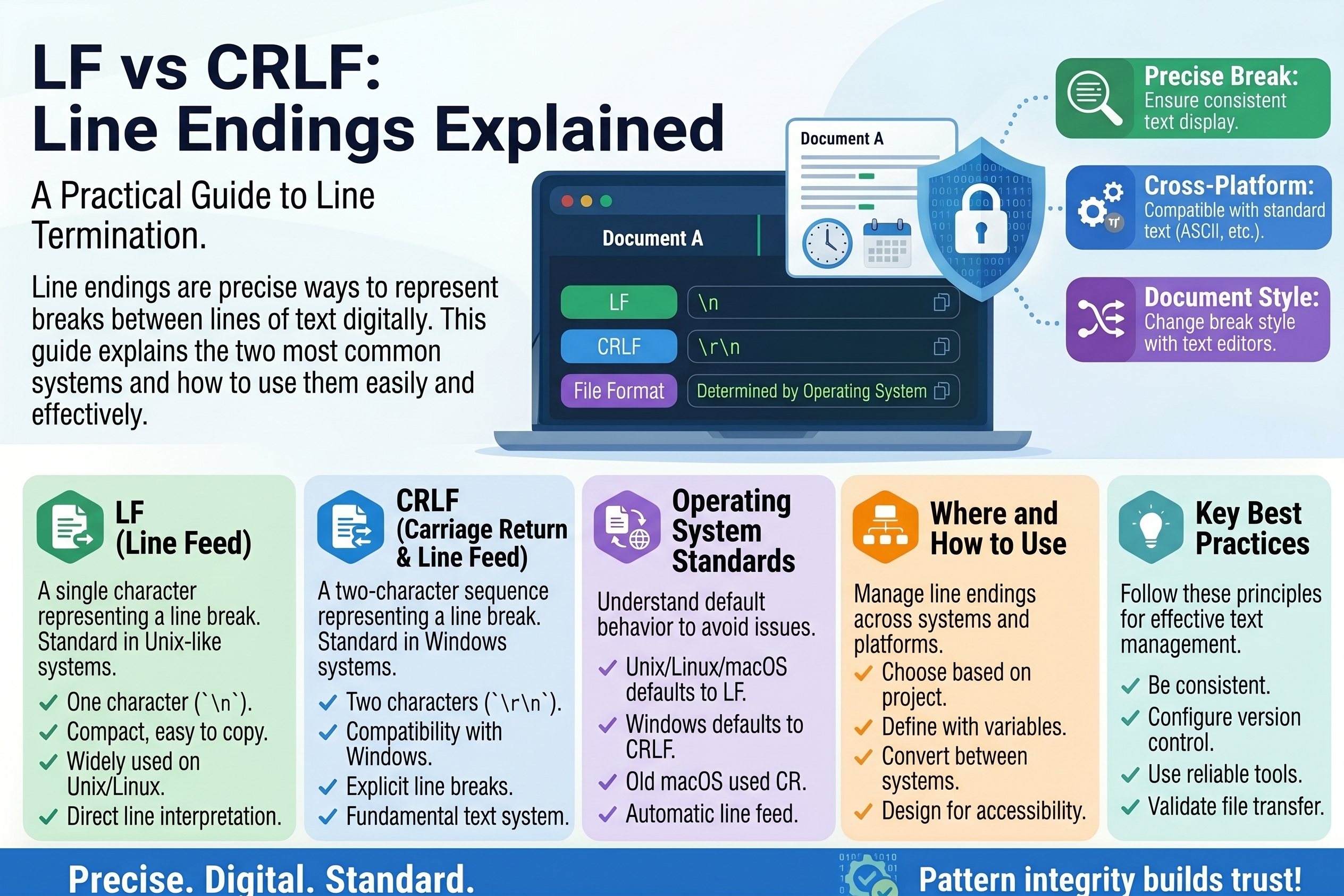
LF vs CRLF: Line Endings Explained
Every text file you have ever opened contains invisible characters marking where each line ends. You never see them, your editor hides them — and yet these phantom characters cause some of the most confusing bugs in programming: scripts that refuse to run, Git diffs showing every line changed when you touched one, and mysterious ^M symbols appearing out of nowhere.
The culprits are two tiny control characters, LF and CR, and the two conventions built from them: LF and CRLF. This guide explains what they are, why different operating systems disagree about them, and how to stop line endings from ruining your day.
What Are Line Endings?
When you press Enter in a text editor, the editor does not store "a new line" as an idea — it inserts an actual invisible character (or two) into the file. These line ending characters tell any program reading the file where one line stops and the next begins.
Two control characters from the ASCII standard do this job:
- LF (Line Feed) — character code 10, written
\nin most programming languages. The instruction: move down one line. - CR (Carriage Return) — character code 13, written
\r. The instruction: move back to the start of the line.
Their names come from physical typewriters and printers, which we will get to in a moment. Modern systems use one of three conventions:
LF        \n        Unix, Linux, macOS
CRLF      \r\n      Windows
CR        \r        Classic Mac OS (pre-2001, now obsolete)
The file looks identical on screen either way. The bytes underneath are different — and that difference matters.
A Short History: Typewriters and Teletypes
To understand why two characters exist for one job, picture a typewriter. Pressing the return lever did two mechanical things: the carriage returned to the left margin, and the paper fed up one line. Two motions, two commands.
Early teletype machines and printers inherited this split: CR moved the print head back to the start, LF advanced the paper. Sending both (\r\n) reproduced the typewriter's behavior exactly, which is why the CRLF pair became the standard for early network protocols and, eventually, DOS and Windows.
Unix took a simpler path: one character, LF, was enough — software could interpret "new line" as both motions. When Apple rebuilt macOS on a Unix foundation (OS X), it switched from CR to LF, leaving Windows as the last major holdout using CRLF. That historical accident is the entire reason this problem exists.
LF vs CRLF vs CR: The Three Conventions Today
- LF (
\n) — used by Linux, Unix, and modern macOS. It is also the standard for most programming languages, the web (HTTP, HTML source), and configuration formats like JSON and YAML. If you write code, LF is your home base. - CRLF (
\r\n) — used by Windows, including Notepad (though modern Notepad now handles LF gracefully). Many Windows-native tools and some network protocols still expect the pair. - CR (
\r) — used only by classic Mac OS before 2001. You will essentially never encounter it in new files, but old archives can surprise you.
The practical rule: LF everywhere unless something specifically demands CRLF. The programming world has standardized on LF, and most cross-platform pain comes from Windows-style endings leaking into Unix-style environments.
Why Line Endings Still Cause Problems
Invisible characters cause visible chaos in a few classic ways:
Shell scripts that won't run. A bash script saved with CRLF endings fails on Linux with the baffling error bad interpreter: /bin/bash^M. The ^M is the CR character, now glued to the interpreter path. The script is fine; its line endings are not.
Git diffs that show the whole file changed. If your editor silently converts a file from LF to CRLF, Git sees every single line as modified — the content is identical, but every line's ending byte changed. Code reviews become unreadable, and blame history gets polluted.
The dreaded "warning: LF will be replaced by CRLF". Git's autocrlf feature tries to help Windows users by converting endings on checkout and commit, but misconfigured, it produces endless warnings and surprise conversions.
Broken configuration and data files. Some parsers are strict: a CSV with mixed endings can split rows incorrectly, and certain legacy tools choke on the "wrong" convention. Dockerfiles, for example, must use LF — a CRLF Dockerfile can fail to build.
Merge conflicts from nothing. Two developers editing the same file with different ending settings generate phantom conflicts that waste everyone's time.
How to Check Which Line Endings a File Uses
Since the characters are invisible, you need tools that reveal them:
On Linux/macOS, the file command reports endings directly:
$ file myscript.sh
myscript.sh: Bourne-Again shell script, ASCII text executable, with CRLF line terminators
The cat -A command shows line endings inline — $ marks LF, ^M$ marks CRLF:
$ cat -A notes.txt
first line$
second line^M$
That file has mixed endings: the first line is LF, the second is CRLF.
In VS Code, look at the status bar in the bottom-right: it displays LF or CRLF for the open file, and clicking it lets you change the convention.
In Notepad++, use View → Show Symbol → Show End of Line to display LF and CR LF markers.
How to Convert Between LF and CRLF
The dedicated tools. On Linux, dos2unix and unix2dos convert files in place:
$ dos2unix script.sh     # CRLF → LF
$ unix2dos readme.txt    # LF → CRLF
With standard Unix tools, when dos2unix isn't installed:
$ sed -i 's/\r$//' file.txt      # strip CR: CRLF → LF
$ sed -i 's/$/\r/' file.txt      # add CR: LF → CRLF
In VS Code, click the LF/CRLF indicator in the status bar and select the other option, then save. To convert many files, use find-and-replace with regex across the workspace.
In Git, control the behavior per repository instead of relying on global settings. The .gitattributes file is the robust solution:
# Force LF for code, let Git decide for nothing else
* text=auto
*.sh text eol=lf
*.bat text eol=crlf
*.png binary
This guarantees shell scripts always check out with LF (even on Windows) and batch files with CRLF, regardless of each developer's personal Git config. Commit .gitattributes to the repository and the whole team inherits sane behavior.
In editors, set a default once: VS Code's files.eol setting (\n recommended), and consider an .editorconfig file for cross-editor consistency:
[*]
end_of_line = lf
insert_final_newline = true
trim_trailing_whitespace = true
Best Practices for Teams
- Standardize on LF for all code and text files. It is the universal default of the programming ecosystem.
- Commit a
.gitattributesfile to every repository. This single file prevents 90% of line-ending problems. - Set
core.autocrlfdeliberately:trueon Windows if your team wants CRLF working copies,inputon macOS/Linux — or better, let.gitattributeshandle it and leave autocrlf alone. - Never mix endings in one file. Mixed-ending files are the worst outcome: some tools handle them, some don't, and diffs look insane.
- Check scripts before they fail. If a shell script throws
^Merrors, line endings are the first suspect, not the code.
Frequently Asked Questions
What does CRLF actually stand for? Carriage Return + Line Feed — the two typewriter motions (\r\n) inherited from teletype machines.
Which should I use for a new project? LF. It is the standard for code, the web, and every operating system except Windows — and modern Windows tools handle LF fine.
Can line endings cause security issues? Indirectly, yes. A script that fails to run due to CRLF might tempt someone to bypass checks, and inconsistent endings have historically confused parsers in ways attackers could exploit. Mostly, though, they cause reliability problems rather than vulnerabilities.
Why does Git care about line endings at all? Because Git tracks exact bytes. Change the invisible bytes at the end of every line and Git correctly — but unhelpfully — reports every line as changed. .gitattributes exists precisely to keep those bytes consistent.
What is that ^M I keep seeing? That is how terminals display the CR character (carriage return, code 13). If you see ^M at the ends of lines, the file has CRLF or CR endings.
Key Takeaways
- Line endings are invisible characters: LF (
\n) on Unix/macOS, CRLF (\r\n) on Windows, CR (\r) on obsolete classic Mac OS. - The split dates to typewriters: carriage return moved the head, line feed advanced the paper.
- CRLF endings break Unix shell scripts (
bad interpreter: ...^M) and pollute Git diffs. - Detect endings with
file,cat -A, or your editor's status bar; convert withdos2unix,sed, or editor commands. - A committed
.gitattributesfile standardizing on LF prevents nearly all team-wide line-ending pain.
Conclusion
LF vs CRLF is a disagreement from the typewriter era that software still hasn't fully outgrown. The good news: the industry has converged on an answer — LF everywhere, enforced by .gitattributes — and every tool you use already knows how to convert. The next time a script fails with a mysterious ^M or a diff shows a thousand changed lines you never touched, you won't be confused. You'll check the line endings first, fix them in seconds, and get back to real work.
Related Articles
- Exchange Rates Explained: How Currency Conversion Works
- Test Data and Fake Data: A Developer's Guide
- Morse Code Explained: Dots, Dashes and How to Learn It
- Barcodes: How They Work and Why They Matter
Try Our Free Tools
Try Our Free Tools